
Here's how to take a screenshot.
1. In flight
Access the goggles menu.
Start screen recording.
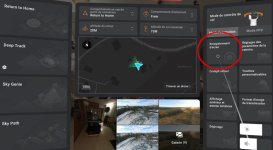
Stop recording or turn off the drone after landing (this will stop screen recording).
2. On PC or Mac
Connect the googles, import your video.
Edit your video, choose the image you want, and export it!
You'll get a square image, 1600 pixels on each side (1600x1600) !
1. In flight
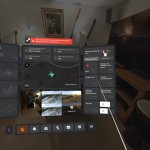
Access the goggles menu.
Start screen recording.
Stop recording or turn off the drone after landing (this will stop screen recording).
2. On PC or Mac
Connect the googles, import your video.
Edit your video, choose the image you want, and export it!
You'll get a square image, 1600 pixels on each side (1600x1600) !

