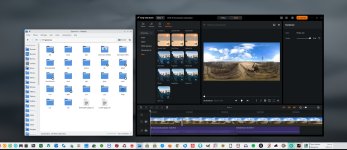

Antigravity Studio update
New version 1.1.0 !
I got it today 2026 02 05 !
What's new ?
1. 360° Editing Enhancements
Dynamic Keyframes: Smoother transitions between keyframes when reframing your 8K videos.
Head-Tracking Conversion: You can now convert head movements recorded with Vision goggles into keyframes that can be manually edited on your computer.
Improved Deep Track: Subject tracking is more stable, even when the drone is performing rapid rotations or the subject is partially obscured.
2. New Visual Features
Statistics Overlays: Add flight data (speed, tilt, altitude) as a watermark directly to your video export.
360 Animation Templates: New pre-designed templates for animating 360° photos (Tiny Planet effect, automatic rotations) for social media platforms like Instagram.
Additional Viewing Modes: Easier integration of "MegaView" and "Linear" views to reduce fisheye distortion without sacrificing 8K quality.
3. Performance Optimization (PC)
Export Speed: Hardware rendering (GPU) optimization for large A1 files, reducing export time by nearly 20% compared to version 1.0.
File Management: Improved stability when importing directly from the drone's microSD card or Vision goggles.
New version 1.1.0 !
I got it today 2026 02 05 !
What's new ?
1. 360° Editing Enhancements
Dynamic Keyframes: Smoother transitions between keyframes when reframing your 8K videos.
Head-Tracking Conversion: You can now convert head movements recorded with Vision goggles into keyframes that can be manually edited on your computer.
Improved Deep Track: Subject tracking is more stable, even when the drone is performing rapid rotations or the subject is partially obscured.
2. New Visual Features
Statistics Overlays: Add flight data (speed, tilt, altitude) as a watermark directly to your video export.
360 Animation Templates: New pre-designed templates for animating 360° photos (Tiny Planet effect, automatic rotations) for social media platforms like Instagram.
Additional Viewing Modes: Easier integration of "MegaView" and "Linear" views to reduce fisheye distortion without sacrificing 8K quality.
3. Performance Optimization (PC)
Export Speed: Hardware rendering (GPU) optimization for large A1 files, reducing export time by nearly 20% compared to version 1.0.
File Management: Improved stability when importing directly from the drone's microSD card or Vision goggles.